Laras for AI · MCP
Let your AI work in your tables. On your terms.
Laras is an MCP server for your business data. Your AI assistant signs in with your consent, sees the tables you allow, and changes them the way you would, live, with every write checked, recorded and recoverable.
One address. Your sign-in, not a key.
Every app below uses the same server address. There's no key to copy: the app opens Laras, you sign in and click Allow.
https://app.trylaras.com/mcp
-

Claude
claude.ai, desktop and mobile
Settings → Connectors → Add custom connector. Paste the Laras address and click Connect. Claude registers itself, so leave the OAuth fields empty.
-
ChatGPT
Paid plans with Developer mode
Settings → Apps & Connectors → Advanced: turn on Developer mode. Then Create, paste the Laras address and choose OAuth.
-
Cursor
One click to install
In Laras, open Connect AI apps and click Add to Cursor. Cursor installs the server, then opens Laras so you can sign in.
-

VS Code
GitHub Copilot agent mode
In Laras, open Connect AI apps and click Add to VS Code.
-

Claude Code
In your terminal
Run the command below, then type /mcp in Claude Code and choose laras to sign in.
claude mcp add --transport http laras https://app.trylaras.com/mcp -

Gemini CLI
In your terminal
Add Laras under mcpServers in ~/.gemini/settings.json, then run /mcp auth laras.
"laras": { "httpUrl": "https://app.trylaras.com/mcp" }
Scripts and apps without OAuth can use an access token from Account menu → Access tokens.
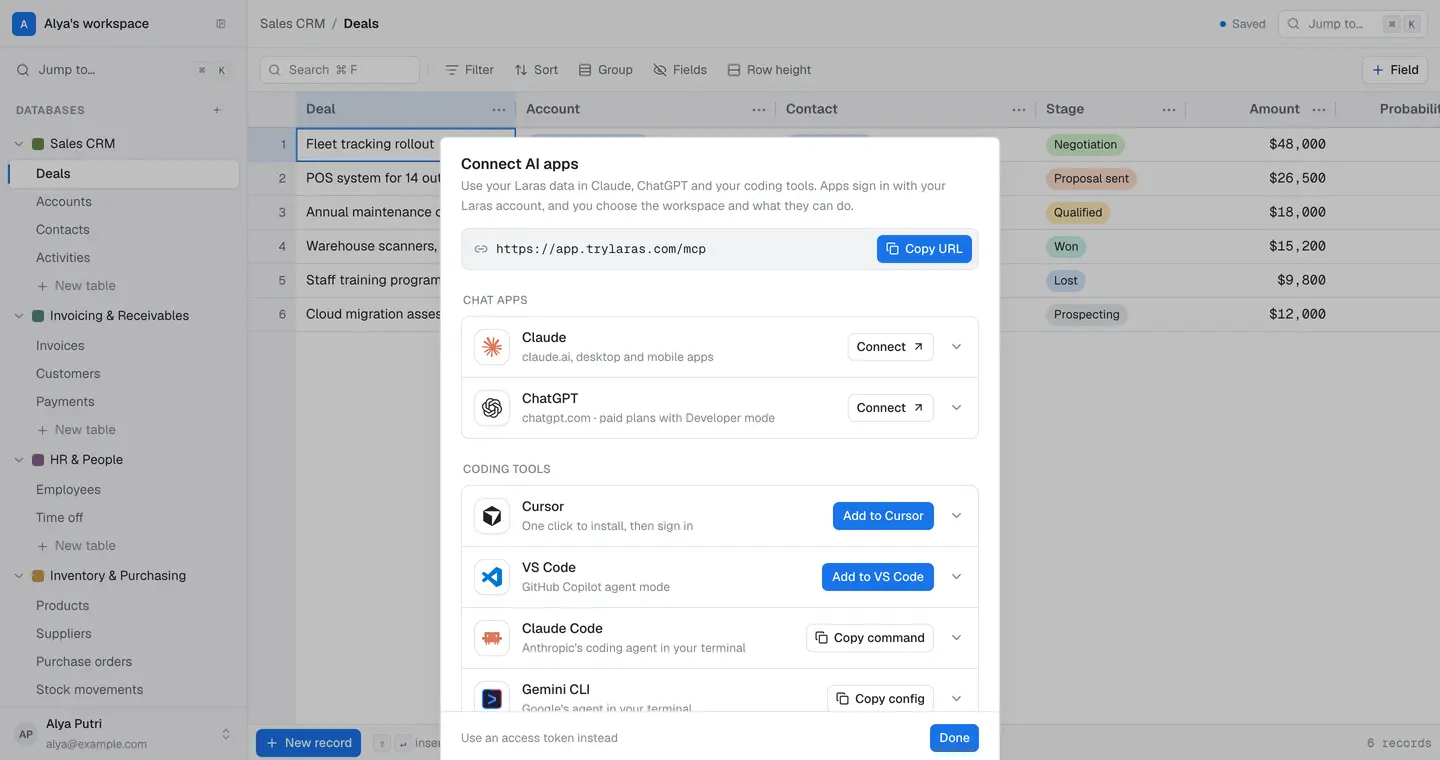
Or start from inside Laras
Account menu → Connect AI apps has the address, one-click buttons for Cursor and VS Code, the commands for terminal agents, and the list of apps you've connected, each with a Disconnect button.
You decide what it can do. Nothing more.
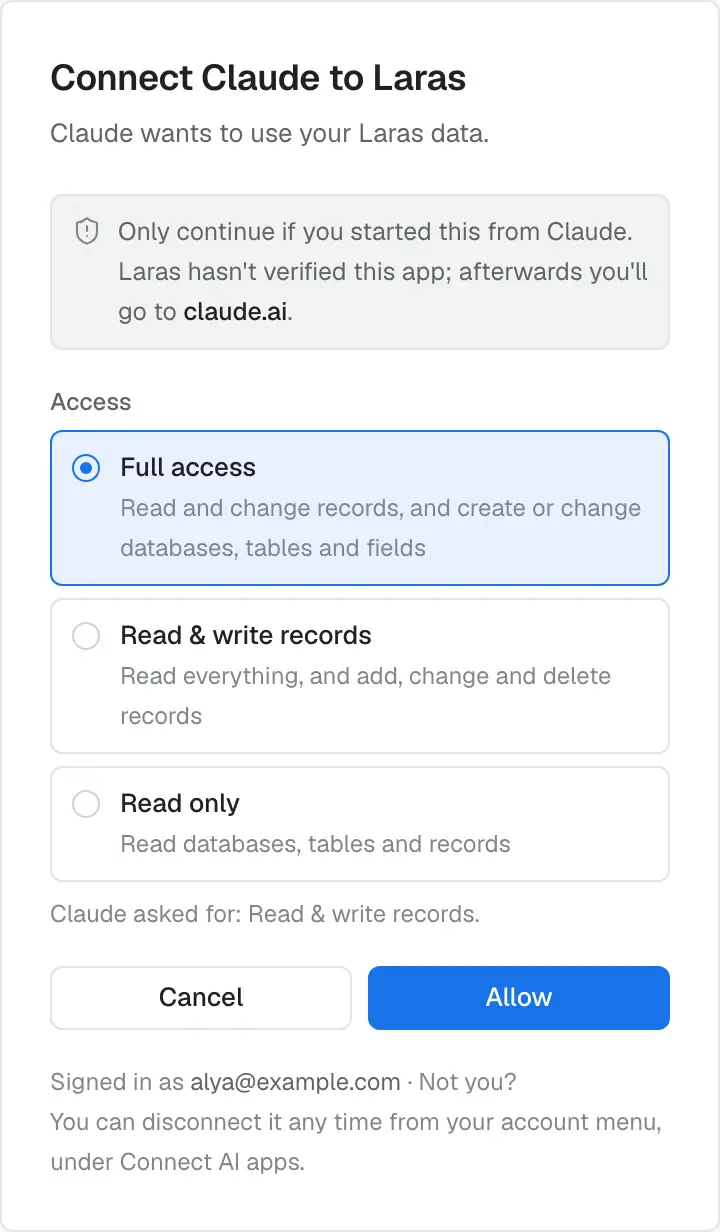
When an app connects, you pick one workspace and one level. An app never gets more than you have, and if you leave a workspace, its apps lose access at once.
- 01 Read onlyRead databases, tables and records.
- 02 Read & write recordsRead everything, and add, change and delete records.
- 03 Full accessRead and change records, and create or change databases, tables and fields.
- Recorded. Changes an app makes are saved like yours, marked as made by AI.
- Recoverable. Deleted databases, tables and fields can be restored, and deleted records come back with Undo.
- Revocable. Disconnect an app and its access ends on its next request. Resetting your password disconnects every app.
26 tools for real work. Built for batches.
Tools take field names, not ids, and write up to 100 records per call. When a value doesn't fit a field, the error goes back to the model so it can correct itself.
Find your way
- list_databases
- describe_database
- describe_table
- list_views
Work with records
- query_records
- create_records
- update_records
- delete_records
- delete_records_by_filter
Shape the schema
- create_database
- update_database
- create_table
- update_table
- add_field
- update_field
- reorder_fields
Views
- create_view
- update_view
Files
- upload_attachment
- complete_upload
Undo a delete
- delete_database
- restore_database
- delete_table
- restore_table
- delete_field
- restore_field
On every plan
AI is never behind a paywall. Plans change how many apps you can connect and how fast they can go.
| Plan | Connected AI apps | Rate per app |
|---|---|---|
| Starter | 2 | 5 req/s · 2,000 cells/min |
| Pro | 10 | 20 req/s · 10,000 cells/min |
| Max | Unlimited | 50 req/s · 50,000 cells/min |
Let your assistant take the busywork.
No card needed. Set up in a minute.